 Projects
 Brief.pdf




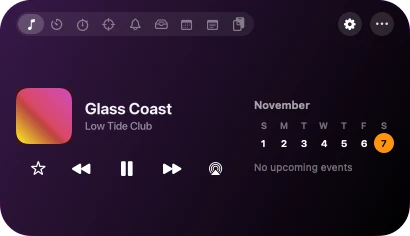



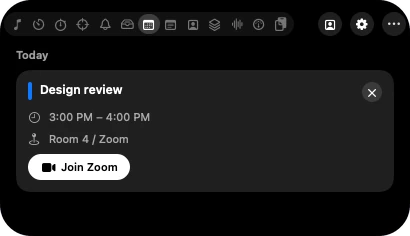





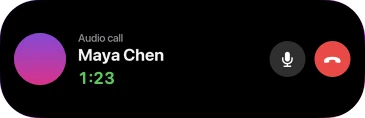
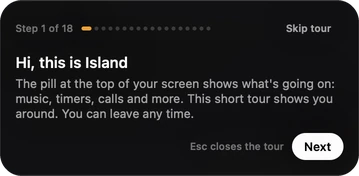




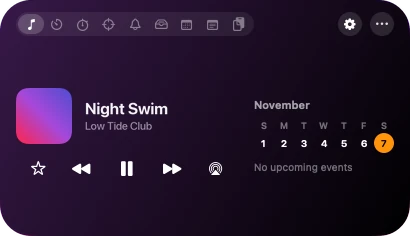
Music and timers01 / 06
Music and timers, at a glance.
Album art, controls and a countdown you can read without looking.
 Island
It’s in your Downloads folder.
Then open it from Applications.
Island isn’t notarized yet, so macOS asks first. Click Done, then Open Anyway in Privacy & Security. (macOS 13 or 14: right-click Island, then Open.)
Open Privacy & Security
Island for Mac
A small black pill at the top of your Mac that shows what’s playing, what’s next and who’s calling, then gets out of the way.
Features
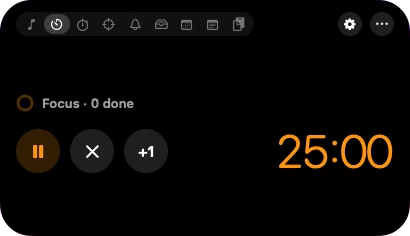
Music and timers01 / 06
Album art, controls and a countdown you can read without looking.

Calls and notifications02 / 06
Answer calls and read messages right where you’re looking.
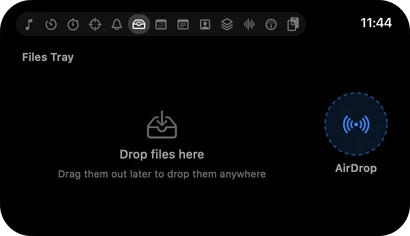
Files Tray03 / 06
Park files in the Island for later, or send them in one drag.

At a glance04 / 06
A charging ring, a slim volume bar and live download progress.
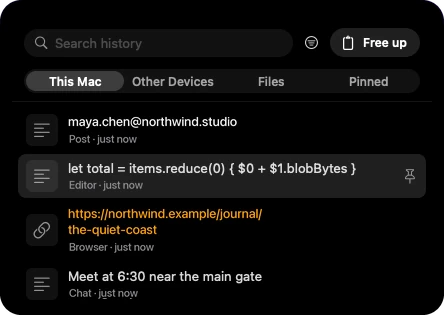
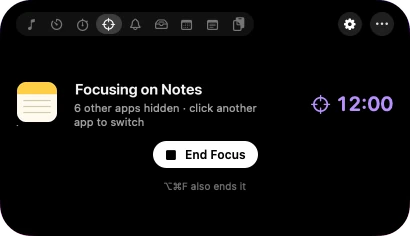
Clipboard and Focus05 / 06
⌥⌘C brings back your clipboard. Solo Focus hides the rest.

Make it yours06 / 06
Try every look over any wallpaper, right here.

Free, for macOS 13 or later. Apple silicon and Intel.
Download IslandVersion 1.0.08.6 MBmacOS 13 or later
Your browser will show one short notification when a new version of Island is out. Nothing else, and you can turn it off here any time.
One moment…
You’re set. Your browser will tell you when Island is updated.
Notifications are off, and your push address has been deleted.
Notifications are blocked for this site. To allow them, open the site settings next to the address bar, then try again.
On iPhone and iPad, Safari sends notifications only from the Home Screen: tap Share, then “Add to Home Screen”, open Island from there and tap this button again.
This browser can’t show web notifications. Everything else on the page works the same.
Something went wrong. Please try again later.
Update notifications use your browser, not the Island app. Only your browser’s push address is kept, with no name or email. Unsubscribe here any time.
Scroll
Everything else
Privacy
Nothing you do in Island is logged or sent anywhere.
Clipboard, notes, recordings and timers stay on this Mac.
Weather and link previews start off. Updates are checked only when you click.
Island works without them. Each one turns on only the feature it’s for.
Install
Island isn’t notarized yet, so macOS asks before it opens. Three steps, once.
Open it from your Downloads folder.
DownloadThen open it from Applications.
macOS stops it the first time. Click Done, then Open Anyway in System Settings → Privacy & Security. On macOS 13 or 14, right-click Island and choose Open, then Open again.